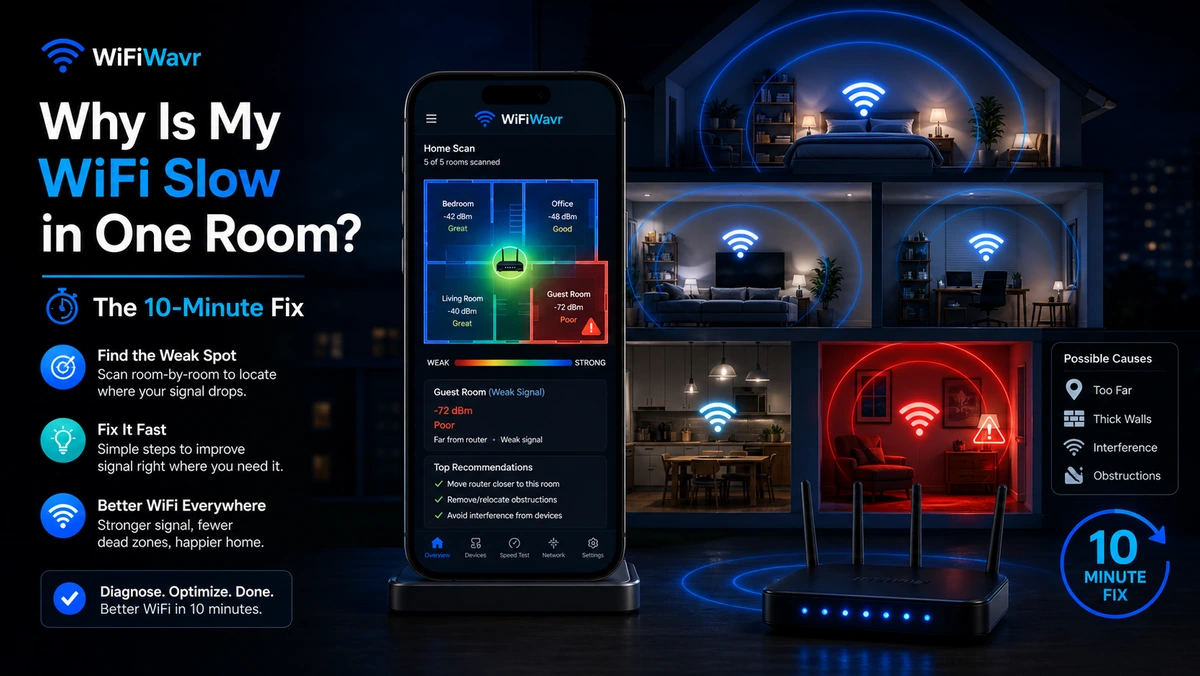
The rest of the house is fine. The living room streams 4K without blinking. But walk into the back bedroom and everything falls apart — the video call stutters, pages hang, the smart TV spins. Same plan, same router, same Wi-Fi name. One room just refuses to behave.
Here's the part most people get wrong: this is almost never an internet-speed problem. So the thing everyone tries first — calling the provider and paying for a faster plan — usually changes nothing. A bigger plan pumps more speed into the house. It does nothing to help that speed reach the far room.
Buying faster internet doesn't make WiFi travel farther. If one room is weak, you're hitting a limit inside your home, not at the curb.
Three things break a single room — and only three
When one room is slow, it's nearly always one of these. The trick is figuring out which before you spend a dollar.
- Weak signal (coverage). The router is too far, or there are too many walls, mirrors, and metal appliances between it and the room. The signal arrives faint, so the speed collapses.
- A crowded channel (interference). Your router is shouting on the same channel as five neighbors. In a far room where your own signal is already weak, that traffic jam hits hardest.
- Something genuinely wrong upstream. Occasionally it really is the router or the ISP — but you want to rule out the first two before you blame anyone.
Diagnose it standing in the room itself
This is the key move. Don't troubleshoot from the couch next to the router where everything looks great. Take your phone into the slow room and check three readings.
1. Read the signal strength
Open WiFi Wavr and look at the signal. It shows your distance from the router and the raw strength in dBm, then grades it in plain words — "Great Signal Here" down to weak. In a healthy room you'll see something like -38 dBm and a green "perfect for video calls, streaming and gaming." If the slow room reads weak, you've found your answer: it's coverage. (Confused by the number? See what a good dBm reading actually is.)
2. Check the channel
Tap into Channel Check. Wavr lists the busiest channels around you and recommends a clearer one — for example, telling you that you're parked on a congested 5 GHz channel 149 while channel 40 sits nearly empty nearby. If your channel is jammed, that's a free fix. More on that in change your WiFi channel.
3. Run the speed test, in the room
Hit Run Speed Test where you're standing. Wavr shows download, upload, ping, and a lag grade, and lets you type in the speed you pay for so it can tell you what fraction you're actually getting. If you pay for 500 and the room delivers 23% of it, that's not your plan being slow — that's the signal not making it this far.
Now fix the one that's actually broken
Because you measured instead of guessed, the fix is obvious:
- Weak signal? Move the router more central and higher up, then re-walk with the signal compass. If the room is just too far from any one router, that's where a mesh node or extender earns its keep.
- Crowded channel? Switch to the channel Wavr recommends. Two minutes, no cost.
- Neither? Time to find out if it's your router or your ISP — Wavr names the culprit for you.
The whole diagnosis takes about ten minutes and costs nothing. Compare that to a month of a pricier plan that was never going to touch the problem.
FAQ
Why is my WiFi slow in only one room?
Almost always it's coverage, not speed. The signal weakens with distance and every wall, mirror, or metal appliance it crosses, so by the time it reaches that far room there isn't much left. A faster plan won't help — the bottleneck is the WiFi reaching the room, not the internet entering the house.
Will a faster internet plan fix slow WiFi in one room?
No. More speed doesn't make WiFi travel farther. If one room is weak you're hitting a coverage or interference limit inside your home — the answer is better placement, a clearer channel, or an extra access point.
How do I know if it's signal, channel congestion, or my ISP?
Check all three from inside the slow room. WiFi Wavr reads the signal strength, scans for a crowded channel, and runs a speed test you can compare against your plan — then tells you which one is the real problem in plain English.
Stop guessing why that one room is slow.
WiFi Wavr reads your signal, your channel, and your real speed — standing right where the problem is — and tells you the fix in plain words.
⬇ Download WiFi Wavr — Free