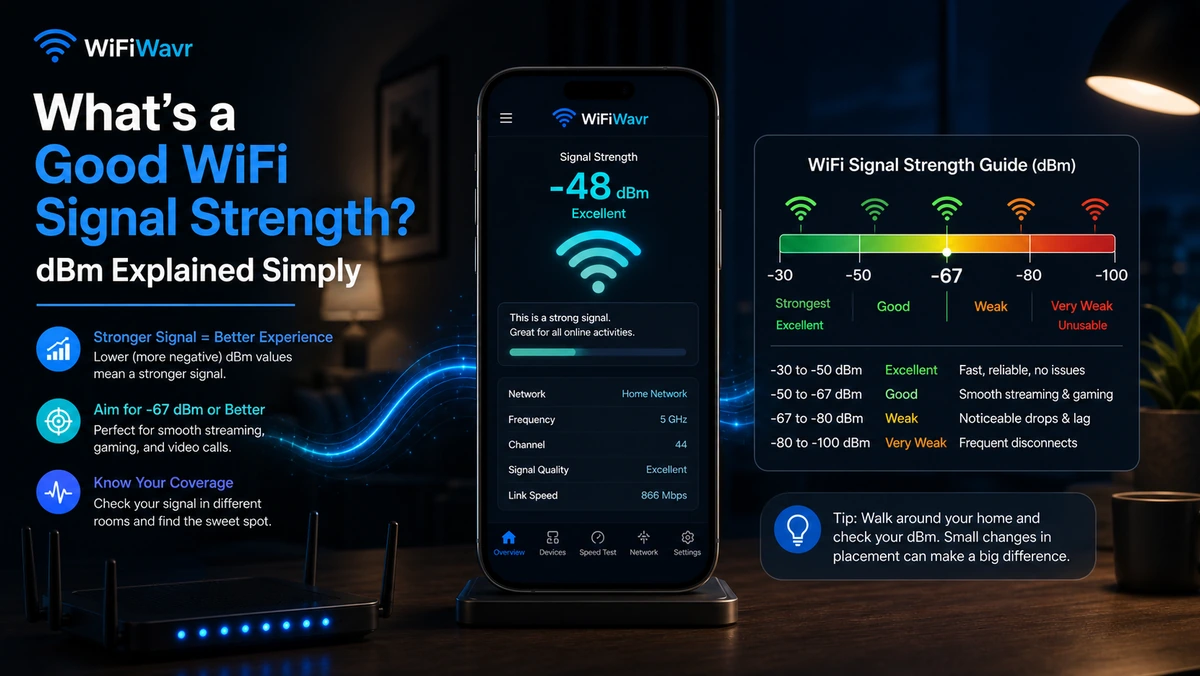
You opened some app, it told you your signal is -67 dBm, and now you're staring at it wondering if that's good, bad, or a phone number. Fair. dBm is one of those measurements that's genuinely useful once you know the scale and completely meaningless until you do.
So here's the whole thing in two sentences. WiFi signal strength is measured in dBm, and the number is always negative. Closer to zero is stronger — so -40 dBm is a great signal, and -80 dBm is barely a signal at all.
The dBm cheat sheet
Tape this to the inside of your skull and you'll never be confused again:
- -30 to -50 dBm — Excellent. As strong as it realistically gets. 4K streaming, video calls, gaming, several devices at once. If you're standing near the router you'll see numbers like -38 dBm.
- -50 to -60 dBm — Very good. Everything works smoothly. This is the sweet spot for most rooms.
- -60 to -67 dBm — Good enough. Reliable for browsing, HD video, and calls. You won't notice problems.
- -67 to -70 dBm — Getting weak. Usable, but the edge. Video may dip in quality; busy moments stutter.
- -70 to -80 dBm — Poor. Things drop, buffer, and hang. This is dead-zone territory.
- Below -80 dBm — Unusable. Your device can technically "see" the network but can't do anything useful with it.
The number is negative, so bigger-looking isn't better. -45 beats -70. Closer to zero wins, every time.
Why it's negative (the 20-second version)
dBm is power measured on a logarithmic scale, and a Wi-Fi signal is an absolutely tiny fraction of a milliwatt by the time it reaches your phone. Express something that small in decibels and you get a negative number. You don't need the math — you just need "closer to zero = stronger." That's the entire practical lesson.
One number, not the whole story
Strong signal is necessary but not sufficient. You can have a perfect -40 dBm and still have a bad time if your channel is congested with neighbors, or your connection chokes under load (that's bufferbloat), or the problem is actually upstream at your provider. Signal strength tells you the radio link between your phone and the router is healthy. It doesn't promise the internet behind the router is.
Check yours without doing any math
This is exactly why WiFi Wavr shows the dBm number and translates it. Open the app and the home screen gives you the live reading next to a plain verdict — "Great Signal Here. Perfect for video calls, streaming and gaming" — so you get the answer whether or not you care about the underlying number.
Better still, it updates as you walk, so you can see the dBm climb toward zero as you move closer to the router and fall as you head into the back of the house. That's the fastest way to learn your own home — and to find the dead zones where the number slides past -75 and everything stops working.
FAQ
What is a good WiFi signal strength in dBm?
-30 to -50 dBm is excellent, -50 to -60 is very good, -60 to -67 is fine for most use. -70 is the struggling edge, and weaker than -75 to -80 dBm is basically unusable. The number is negative, so closer to zero is stronger.
Why is WiFi signal strength a negative number?
dBm measures power on a logarithmic scale, and Wi-Fi signals are tiny fractions of a milliwatt, so the value comes out negative. Practical takeaway: closer to zero is stronger. -40 dBm beats -70 dBm.
How do I check my WiFi signal strength on Android?
Open WiFi Wavr — it shows your live dBm on the home screen with a plain-English verdict like "Great Signal Here," updating as you move around the house.
See your signal strength — and what it means.
WiFi Wavr shows your live dBm reading and translates it into plain words, so you always know whether your signal is great, getting weak, or dead.
⬇ Download WiFi Wavr — Free