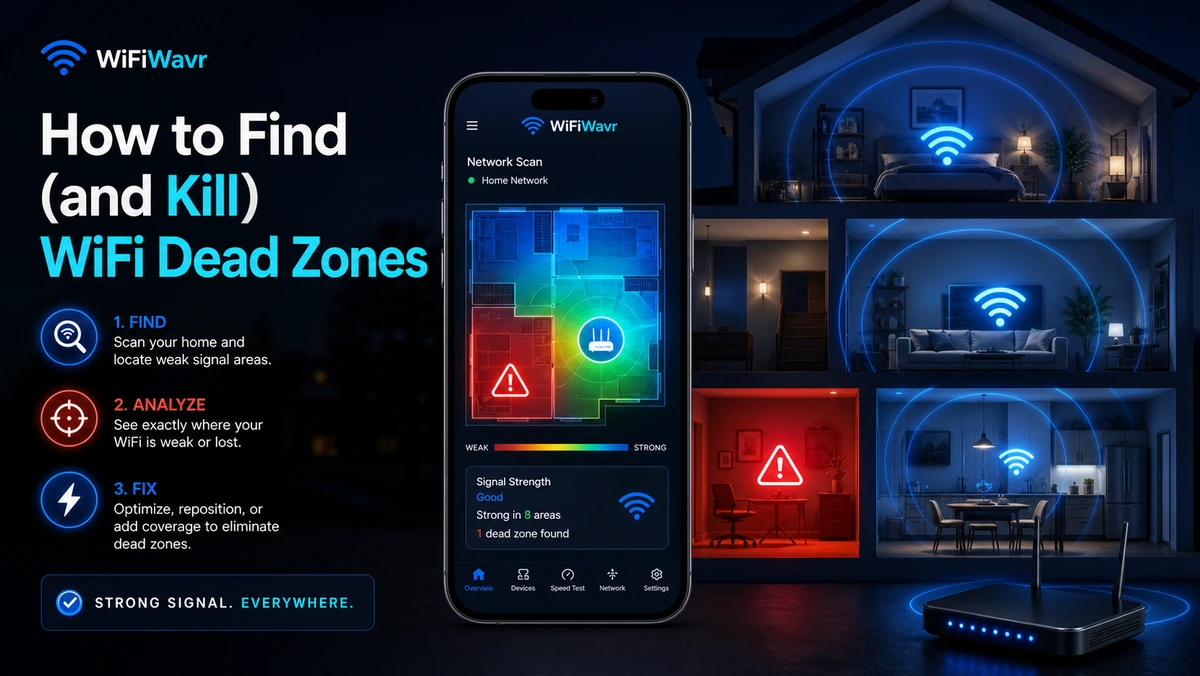
Every house has one. The corner of the basement where the signal gives up. The back porch that's "outside, so whatever." The upstairs bathroom where a podcast cuts out mid-sentence. A WiFi dead zone — a spot where there's basically no usable signal even though the router is humming along two rooms over.
The reflex is to assume the internet is slow and the plan needs upgrading. It almost never is. A dead zone is a coverage problem. The internet coming into your home is fine; it just isn't reaching that spot. So before you spend money, you want to find the exact edge where your coverage runs out.
Why dead zones happen
Wi-Fi is just radio. It gets weaker the farther it travels, and weaker still every time it punches through something solid. The usual signal-killers:
- Distance — the plain inverse-square fade. Far corners are simply harder to reach.
- Dense walls — brick, concrete, stone, and old plaster-and-lath eat signal far faster than drywall.
- Metal and water — fridges, furnaces, ductwork, mirrors, and even a big aquarium block Wi-Fi surprisingly well.
- Bad router placement — a router shoved in a closet or down in the basement on one end of the house is fighting geometry from the start.
A dead zone isn't your internet being slow. It's your signal running out of road before it gets there.
Find the exact spot the signal dies
This is where most "fix your dead zone" advice falls down — it tells you to add hardware without telling you where. So you plug an extender into whatever outlet is handy, it's still half-dead, and you give up.
Do this instead. Open WiFi Wavr and start at your router. Walk slowly toward the dead area, watching the live reading — distance from the router and signal strength, updating with every step. For a while it'll fade gently. Then, at some point, it falls off a cliff. That cliff is the edge of your coverage.
Knowing that fade point changes everything. Now you're not guessing — you know precisely how far your router reaches and where the gap begins.
Kill it — cheapest fix first
Work down this list. Most people stop after step one or two.
- Move the router. More central, higher up, out of the closet, away from the metal. Then re-walk with the compass and watch the fade point push outward — often far enough that the dead zone is just gone, for free. See where to put your router.
- Clear the channel. If neighbors are crowding your channel, the weak edges suffer first. Switch to a clearer one in two minutes.
- Add coverage at the fade point. If the spot is simply too far for one router, place a mesh node or extender right around that cliff you found — not in the dead zone itself, where it would have nothing to repeat. Then re-walk to confirm the zone filled in. Deciding between the two? Read mesh vs. extender.
Confirm the kill
After any change, walk it again. The dead zone should now read a usable signal, and a quick speed test in the spot should come back healthy instead of crawling. That re-walk is the difference between "I think that helped" and "the back bedroom works now." You measured the problem, so you can prove the fix.
FAQ
What causes a WiFi dead zone?
A spot where the signal has been weakened past the point of being usable — by distance plus whatever it had to pass through. Thick walls, brick, concrete, mirrors, metal appliances, and water all soak up Wi-Fi. Where those add up faster than your router can push through, you get a dead spot.
How do I find exactly where my WiFi dies?
Walk from your router toward the dead area with WiFi Wavr's compass on, watching the live signal. The point where the strength drops off a cliff is the edge of your coverage — the most useful thing to know before buying any hardware.
Do I need an extender or a mesh system?
Try the free fixes first — better placement and a clearer channel. If the spot is just too far for one router, an extender or mesh node placed at the fade point will fill it. Find that point first so the new device actually helps.
Find the exact spot your WiFi dies.
WiFi Wavr's compass shows the live signal as you walk, so you can spot the fade point, fix it, and prove the dead zone is gone.
⬇ Download WiFi Wavr — Free