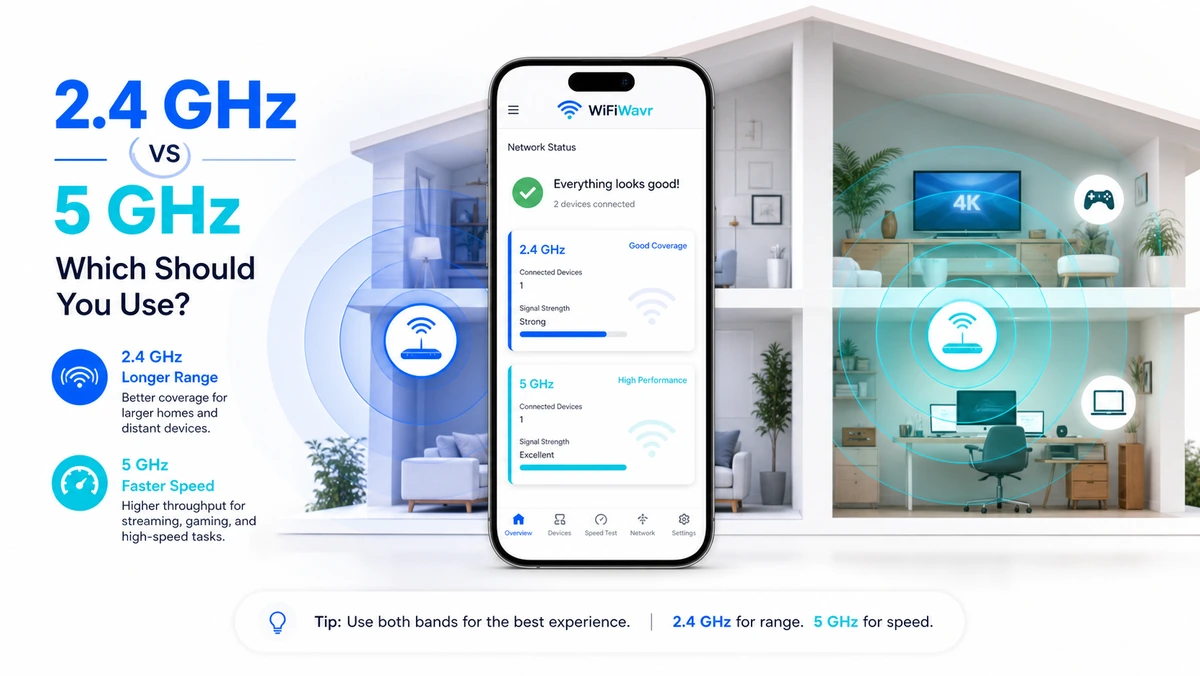
Your router broadcasts two Wi-Fi networks even if you've only ever noticed one: a 2.4 GHz band and a 5 GHz band. They're not "better" and "worse" — they're a trade-off, and knowing which is which turns a slow room into a fast one without buying anything.
The whole thing fits in one sentence. 5 GHz is faster but doesn't travel as far. 2.4 GHz is slower but reaches farther and through more walls. Everything else is detail.
The plain-English rule
- Close to the router → use 5 GHz. Streaming 4K, video calls, gaming, big downloads — anything where speed matters and you're not far away. It's dramatically faster.
- Far away or through thick walls → use 2.4 GHz. The garage, the far bedroom, the backyard. It's slower, but it actually gets there, where 5 GHz would have faded out.
5 GHz for speed up close. 2.4 GHz for reach far away. That's the whole decision.
Why the trade-off exists
It's physics, not marketing. Higher-frequency radio (5 GHz) can carry a lot more data per second, which is the speed. But higher frequencies are absorbed more easily by walls, floors, and plain distance, so they don't travel as far. The lower 2.4 GHz frequency carries less data but slips through obstacles and stretches farther. There's also a crowding angle: 2.4 GHz has fewer usable channels and is shared with microwaves, baby monitors, and every neighbor's old router, so it tends to be more congested.
See which band you're on right now
Here's the practical bit. Most phones quietly pick a band for you and don't make it obvious, so you might be crawling along on 2.4 GHz two rooms from the router without realizing a quick switch to 5 GHz would double your speed — or stubbornly clinging to 5 GHz at the edge of the house where 2.4 GHz would actually hold.
Open WiFi Wavr and the home screen tells you straight: the band you're on, your signal strength, and a note like "5 GHz — fast, shorter range." Now you can make the call instead of guessing.
Make the most of both
- Name them clearly. Many routers let you split the bands into two names, like "Home-5G" and "Home-2.4G." Do that, and you can deliberately join the right one in each room.
- Mind congestion per band. 2.4 GHz especially gets crowded. Wavr's channel check shows the busiest channels on each band and recommends a clearer one.
- Use the right band to test. When you compare your speed to your plan, do it on 5 GHz near the router for the best-case number — see slower than your plan.
One router, two tools. Once you know which band is which, you stop fighting your Wi-Fi and start using the right one for the room you're standing in.
FAQ
Should I use 2.4 GHz or 5 GHz WiFi?
Use 5 GHz close to the router for speed — streaming, calls, gaming, downloads. Use 2.4 GHz when you're far away or through several walls and need the range. Simple rule: 5 GHz for speed up close, 2.4 GHz for reach far away.
Why is 5 GHz faster but shorter range?
Higher-frequency radio carries more data but is absorbed more easily by walls and distance, so 5 GHz is fast but doesn't travel far. Lower 2.4 GHz passes through obstacles and reaches farther but carries less data and is more crowded, so it's slower.
How do I know which band I'm on?
WiFi Wavr's home screen shows whether you're on 2.4 GHz or 5 GHz next to your signal strength, with a note like "5 GHz — fast, shorter range," and its channel tool shows congestion on each band.
Know which band you're on — and which you should be.
WiFi Wavr shows your band, signal, and channel congestion at a glance, so you can pick 5 GHz for speed or 2.4 GHz for reach in every room.
⬇ Download WiFi Wavr — Free